
Batch website to Figma
Build a useful design reference from multiple pages in one workflow. Paste your URLs, choose capture settings, and bring each successful page into Figma without restarting the whole batch.
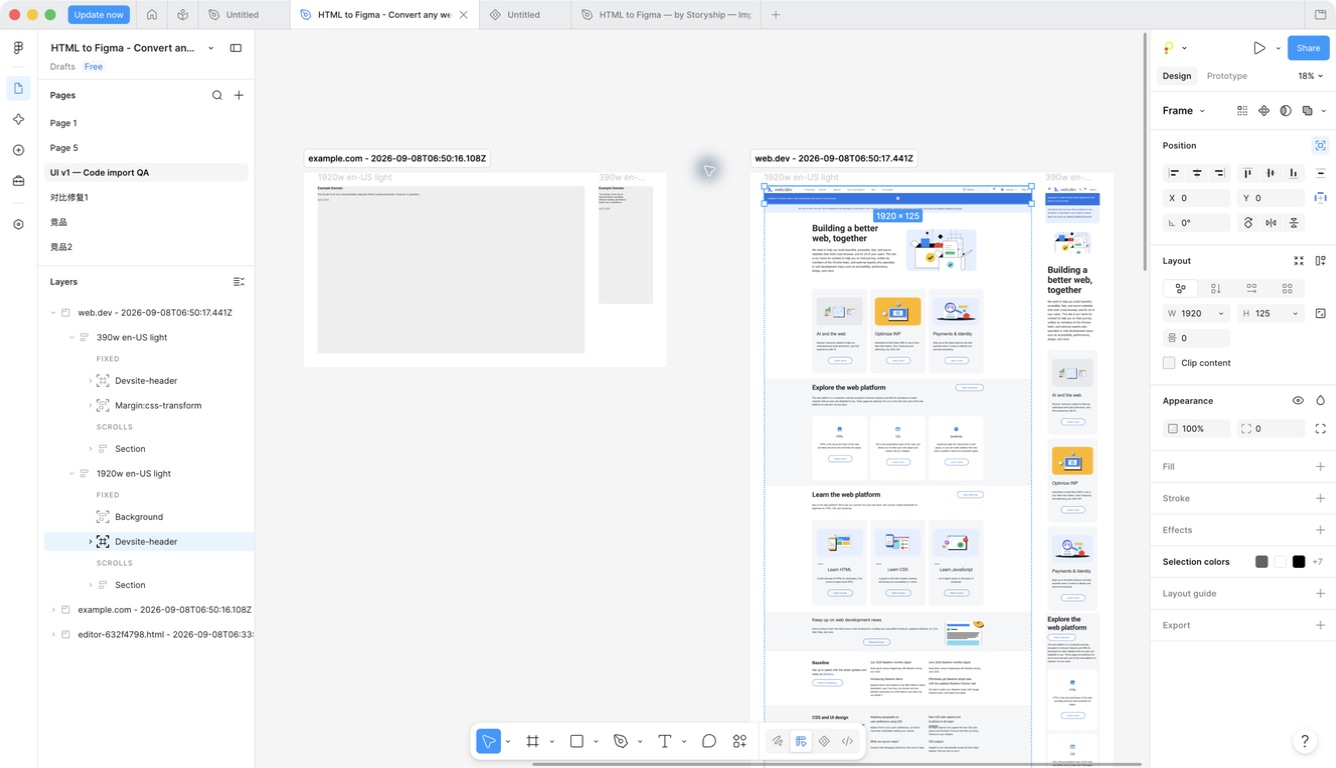
One list, separate page results
Batch website to Figma import is designed for related pages: a homepage and pricing page, a small product flow, or a set of references for a redesign. Paste public HTTP(S) URLs into Website, one per line.
The plugin identifies duplicate URLs and reports invalid entries before they become confusing duplicate designs. Selected viewport, theme and language settings apply to the batch, and the result retains the input order.
This is explicit URL import, not an automatic website crawler. It does not discover every page on a domain or log into a site on your behalf. Use the Chrome extension for browser-only sources.
Start small, then expand the batch
Begin with two URLs and one viewport. Open capture settings to confirm the size, theme and output options. Once the inputs are ready, start capture and follow the per-URL status.
Import the successful captures and review their Figma roots. Check the first screen, lower sections and footer, then finish the font review. Add more widths or pages after the first result meets your needs.
For design QA, use the same settings across a related set of pages so that differences in the results reflect the source layouts rather than inconsistent capture choices.
- Paste one public URL per line.
- Review the unique URL count and estimated capture count.
- Capture, import successful results, then inspect the generated layers.
Recover a failed page without repeating good work
A failed URL does not have to discard successful captures. The plugin reports failures separately and offers a targeted retry for failed items. You can import the successful subset when another page is inaccessible.
Cancellation depends on the stage. During Figma layer creation, cancelling the remainder can finish the current URL before stopping subsequent pages. Review the status message rather than assuming an immediate rollback of completed results.
Common failures include an invalid domain, inaccessible pages and large or slow resources. Try the affected URL alone, reduce the capture matrix, or use the extension when the live browser session is required.
Free does not mean an unbounded job
The current plugin code accepts up to 50 unique URLs and a maximum of 512 requested capture units per URL batch. A capture unit normally combines a URL, language, theme and viewport; directly imported images are treated separately.
These ceilings are safety boundaries, not recommended starting sizes or a guarantee that every large job fits. Page complexity, payload size, available memory and Figma layer creation also matter. The UI reports the applicable validation limit before you continue.
Batch import is included in the free plugin. You do not need to wait for a Pro plan or purchase conversion credits to use it.
FAQ
Questions before you import
Practical answers for batch import.
Is batch import a Pro feature?
No. Batch URL import is available in the current free plugin. Any future paid plan is separate and has not been announced.
Will it import my entire website automatically?
No. Supply the URLs you want to capture. ZIP import is another option for a prepared multi-page HTML archive.
Can I mix desktop and mobile captures?
Yes. Choose multiple widths in capture settings. The total work grows with the number of URLs, widths, themes and languages.
What happens if one URL fails?
Successful captures remain available. Review the failed item's reason, retry the failed subset, or import the successful subset.